
Download Hatchful – AI Logo Maker, Free & Secure Design Tool
Overview
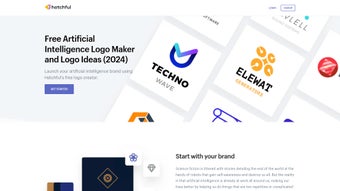
Hatchful is a web‑based AI logo maker that lets entrepreneurs, marketers, and designers create custom logos in minutes without any graphic‑design background. Powered by an intuitive artificial‑intelligence engine, Hatchful analyses the industry you select, suggests style directions, and then populates a diverse library of icons, fonts, and color palettes that reflect modern, innovative, and futuristic themes. The platform is especially valuable for companies operating in the artificial‑intelligence sector, where branding often requires a balance between technical sophistication and human‑centered design.
Users can start from a blank canvas or pick from hundreds of pre‑crafted templates that already incorporate motifs such as neural networks, circuitry, molecules, and stylised brain shapes. Each template can be tweaked—changing the icon, swapping fonts, adjusting color hues, or re‑arranging layout—until the final logo perfectly mirrors the brand’s personality. Once satisfied, Hatchful offers high‑resolution downloads optimized for social media, website headers, print collateral, and even app icons, ensuring consistent visual identity across every touchpoint.
Beyond the creation engine, Hatchful provides best‑practice guides that warn against overused clichés and suggest subtle ways to convey technological expertise while staying memorable. All of this is delivered through a secure, cloud‑based interface that requires no installation, keeping user data private and the design process fast. Whether you need a sleek monogram for a startup, a bold emblem for a fintech AI platform, or a friendly mascot for an educational chatbot, Hatchful gives you the tools to turn abstract ideas into a professional, market‑ready logo in under ten minutes.
The service also integrates with Shopify’s ecosystem, allowing merchants to directly import their newly created brand assets into online stores, which streamlines the workflow from design to launch. Because the tool runs entirely in the browser, it remains lightweight, making it ideal for users on older hardware or those who prefer not to install heavyweight design suites. In short, Hatchful combines speed, security, and creativity into a single, free‑first solution for modern branding challenges.
Key Features & Benefits
The strength of Hatchful lies not only in its AI‑driven automation but also in the depth of customization it offers. Each feature is built to address a specific pain point that small businesses and solo entrepreneurs often encounter when developing a visual identity. Below you will find a detailed explanation of the most valuable capabilities, followed by a concise bullet‑point list that can be quickly scanned for reference.
- AI‑Driven Template Engine: Automatically generates logo concepts based on selected industry, style preference, and brand name.
- Extensive Icon Library: Over 5,000 AI‑themed icons covering networks, circuitry, molecules, brain imagery, and abstract tech shapes.
- Customizable Typography: Access to more than 300 fonts, including modern sans‑serifs, futuristic display types, and classic serifs, each fully adjustable for weight, spacing, and case.
- Dynamic Color Palettes: AI suggests harmonious color schemes, with the ability to fine‑tune hue, saturation, and opacity for brand‑specific palettes.
- One‑Click Export: Download logos in PNG, SVG, and PDF formats at 300 dpi or higher, ready for social media, website headers, business cards, and merchandise.
- Responsive Design Preview: Instantly see how the logo scales on mobile screens, desktop browsers, and print media without leaving the platform.
- Brand Guidance Hub: Integrated tutorials and best‑practice articles help users avoid common AI‑logo pitfalls and maintain visual consistency.
- Secure Cloud Storage: All projects are saved securely in the user’s account, allowing revisions and collaborative editing from any device.
- Free Tier with Premium Upsell: Unlimited logo creation and basic downloads are free; premium packs unlock vector files, brand kits, and priority support.
- Multi‑Language Support: Interface available in English, Spanish, French, German, Chinese, and Japanese, catering to a global audience.
Installation, Usage & Compatibility (Pros & Cons)
Hatchful operates entirely in the web browser, making it compatible with all modern operating systems—including Windows 10/11, macOS Catalina and later, Linux distributions, as well as mobile browsers on Android 8+ and iOS 13+. No download or installation is required; simply visit hatchful.shopify.com, create a free account, and start designing instantly. Because the service is cloud‑based, updates are applied automatically, ensuring that every user works with the latest AI models and icon sets without manual patches.
How to Get Started (Step‑by‑Step)
Step 1 – Sign Up: Provide an email address or connect a Google/Facebook account. Verification is instant, and you’re immediately taken to the dashboard.
Step 2 – Choose Your Industry: Select “Artificial Intelligence,” “Technology,” “Education,” or any other relevant category. Hatchful tailors its icon suggestions accordingly.
Step 3 – Pick a Visual Style: Options range from “Bold & Modern” to “Minimalist” and “Playful.” Each style influences font weight, color vibrancy, and icon complexity.
Step 4 – Enter Your Brand Name & Tagline: The AI engine automatically positions text, suggesting optimal sizing and spacing.
Step 5 – Customize: Swap icons, adjust colors with a live color picker, switch fonts, and rearrange elements using drag‑and‑drop. Real‑time previews show the impact on different screen sizes.
Step 6 – Review & Download: Once satisfied, click “Download.” Free users receive PNG files; premium users can select SVG or PDF for scalable vectors.
Pros
- Completely free for basic logo creation, reducing startup costs.
- AI‑driven suggestions speed up the design process, ideal for non‑designers.
- Browser‑based, so no heavy software installations or system requirements.
- High‑resolution exports ensure professional quality for both digital and print media.
- Extensive tutorial library helps users avoid common branding mistakes.
- Secure cloud storage enables easy access from any device.
- Multilingual interface expands usability across global markets.
- Instant updates mean users always benefit from the latest AI improvements.
- Seamless integration with Shopify stores accelerates brand deployment.
- Responsive preview tool guarantees that logos look great on any platform.
Cons
- Limited customization compared to full‑featured desktop design suites like Adobe Illustrator.
- Premium vector files require a paid upgrade, which may be a barrier for some freelancers.
- Internet connection is mandatory; offline work isn’t possible.
- Template library, while large, may feel repetitive for users seeking highly unique symbols.
- Advanced branding features (brand guidelines, color palette management) are only available in the paid tier.
- Because it’s a web app, performance can vary on slower connections or older browsers.
- Export options for free users are limited to PNG, which may not suit every professional workflow.
Frequently Asked Questions
Is Hatchful really free to use?
Yes, Hatchful offers a completely free tier that lets you create unlimited logos and download PNG files at 300 dpi. Premium features such as SVG, PDF, and brand‑kit exports require a paid subscription, but the free version is sufficient for most small‑business needs.
Do I need design experience to create a logo with Hatchful?
No design background is required. Hatchful’s AI engine guides you through industry‑specific style choices, and the drag‑and‑drop editor lets you tweak every element with a few clicks. The built‑in tutorials also walk you through best practices for AI‑focused branding.
Can I edit my logo after I’ve downloaded it?
If you download a PNG, you’ll need a raster‑editing tool (like Photoshop or GIMP) to make further changes. However, all projects are saved in your Hatchful account, so you can return, edit, and re‑export at any time. Premium users can download editable SVG files for direct vector editing.
Is my data safe on Hatchful’s cloud platform?
Hatchful uses industry‑standard SSL encryption for data transmission and stores projects on secure servers hosted by Shopify. Your designs are private and can only be accessed through your authenticated account.
What file formats are available for download?
Free users receive high‑resolution PNG files. Premium subscribers can download SVG (scalable vector), PDF (print‑ready), and a full brand‑kit that includes color codes, font files, and usage guidelines.
Can Hatchful be used on mobile devices?
Absolutely. Since Hatchful runs in a browser, it works on modern Android and iOS browsers. The responsive interface adapts to smaller screens, allowing you to create and edit logos on the go.
Conclusion & Call to Action
Hatchful stands out as a powerful, user‑friendly AI logo maker that bridges the gap between professional branding and the budget constraints of startups and small businesses. Its AI‑driven suggestions, extensive icon library, and seamless cloud workflow mean you can launch a polished visual identity in a fraction of the time and cost required by traditional design agencies. While power users may eventually outgrow the free tier’s limitations, the platform’s premium upgrade offers the scalability needed for growing brands without compromising on quality.
The lack of a downloadable desktop app is offset by universal browser compatibility, ensuring that whether you’re on a Windows laptop, a MacBook, or a mobile phone, Hatchful is ready to serve. For any company in the AI, tech, or data‑science space looking to convey credibility and innovation through a clean, modern logo, Hatchful provides the right mix of speed, security, and creative flexibility. Ready to give your brand a visual edge?
Click the button below, sign up for free, and start designing a logo that captures the future of artificial intelligence today.
Hatchful delivers fast, AI‑powered logo creation with a rich template library and seamless browser experience. Ideal for startups and small businesses looking for professional branding without high costs.
Pros
- Free tier is generous enough for most entry‑level projects.
- AI engine reduces design time dramatically.
- Cloud storage keeps assets safe and accessible.
- One‑click export to multiple formats.
Cons
- Limited vector editing in the free version.
- Cannot work offline.
- Advanced brand‑kit features locked behind a paywall.



.png)



